
.png)
Instructional Designer
Game Developer
Project Manager
AI Prompt Engineer
Custom GPT Engineer
Video Editor
.png)
Designing an intuitive and visually appealing dashboard for users to track their fitness progress.
A VR pest control service training simulation with both instruction and assessment modes.
Improved user engagement, positive feedback on the dashboard design, and a 15% increase in user retention.
Provide a hands-on learning experience for technicians.
Develop empathy from supporting groups.
Experiment with new learning technology.
Designing an intuitive and visually appealing dashboard for users to track their fitness progress.
Pest Control Technicians
Operations Support Groups
Utilized Angular for a dynamic front-end, integrated Material Design for a modern UI, and implemented data visualization libraries for the dashboard.
6000 employees across sales, customer solutions, and operations.
Designing an intuitive and visually appealing dashboard for users to track their fitness progress.
100% of participants expressed a desire for more content like this.
93% of participants say that VR training is better than traditional classroom training.
Designing an intuitive and visually appealing dashboard for users to track their fitness progress.
Primary Instructional Designer
Graphic Designer
Project Manager
Team Leader
Designing an intuitive and visually appealing dashboard for users to track their fitness progress.
A custom-built Just-In-Time knowledge base website for workflow learning called Aptive Notes.
Improved user engagement, positive feedback on the dashboard design, and a 15% increase in user retention.
Employees needed a one-stop shop location for work-in-process learning.
Existing resources were in various locations, difficult to find, and often inaccurate.
Designing an intuitive and visually appealing dashboard for users to track their fitness progress.
Front-line agents in Sales, Customer Service, and Operations.
Utilized Angular for a dynamic front-end, integrated Material Design for a modern UI, and implemented data visualization libraries for the dashboard.
Serving 6000 employees across Sales, Customer Solutions, and Operations.
Designing an intuitive and visually appealing dashboard for users to track their fitness progress.
18,000 article views every 30 days on average.
Employees immediately started relying on the knowledge base for up-to-date information.
Designing an intuitive and visually appealing dashboard for users to track their fitness progress.
Instructional Designer
Workshop Facilitator
Graphic Designer
Team Leader
Designing an intuitive and visually appealing dashboard for users to track their fitness progress.
A Regional Trainer program created to standardize and improve the quality, information, and teaching methods of Aptive’s Operations training programs.
Improved user engagement, positive feedback on the dashboard design, and a 15% increase in user retention.
Aptive needed to standardize the quality of training across the company's 176+ locations.
Training quality and resulting outcomes were highly variable.
Designing an intuitive and visually appealing dashboard for users to track their fitness progress.
New trainers hired directly from the Operations workforce with pre-existing knowledge of the institution and industry.
Utilized Angular for a dynamic front-end, integrated Material Design for a modern UI, and implemented data visualization libraries for the dashboard.
120 Operations Trainers hired from our pool of experienced technicians and mid-level managers.
Trainers are responsible for live training that is delivered to a 3000+ person workforce.
Designing an intuitive and visually appealing dashboard for users to track their fitness progress.
Reduced week one turnover in Operations from 11% to 2%
Reduced week four turnover from 27% to 17.1%
Designing an intuitive and visually appealing dashboard for users to track their fitness progress.
Sole Instructional Designer
Script Writer
Videographer
Video Performer
Post Production (Video Editing)
Audio Engineer
Designing an intuitive and visually appealing dashboard for users to track their fitness progress.
A series of TikTok-style microlearning videos on financial report literacy.
Improved user engagement, positive feedback on the dashboard design, and a 15% increase in user retention.
Many Operations Managers lacked experience with financial reporting.
Operations leaders have rich industry knowledge but expressed feeling intimidated by standard financial reports.
Designing an intuitive and visually appealing dashboard for users to track their fitness progress.
Senior Operations Managers leading service fulfillment teams.
Utilized Angular for a dynamic front-end, integrated Material Design for a modern UI, and implemented data visualization libraries for the dashboard.
80 Operations Managers across North America, responsible for leading a workforce of 3000+ employees
Designing an intuitive and visually appealing dashboard for users to track their fitness progress.
Significantly boosted learner confidence and elevated financial literacy.
Requests for this type of content flooded our department.
Designing an intuitive and visually appealing dashboard for users to track their fitness progress.
Sole Instructional Designer
Content Writer
Graphic Designer
Script Writer
Video Performance Coach
Post Production (Video Editing)
LMS Administrator
Designing an intuitive and visually appealing dashboard for users to track their fitness progress.
A 12-week sales leader training program on how to recruit seasonal sales teams.
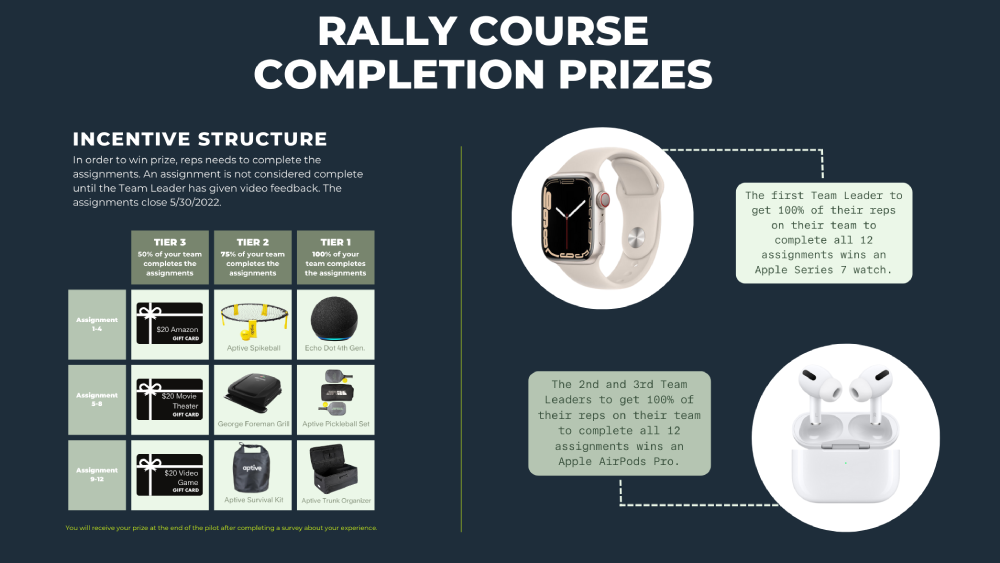
The course is composed of weekly multimedia lessons, assignments, and incentives.
Improved user engagement, positive feedback on the dashboard design, and a 15% increase in user retention.
Sales team leaders (especially new ones) had little to no experience recruiting.
Leaders who are successful at recruiting maximize profits for themselves and Aptive.
Designing an intuitive and visually appealing dashboard for users to track their fitness progress.
Sales team leaders for a door to door summer sales program.
Utilized Angular for a dynamic front-end, integrated Material Design for a modern UI, and implemented data visualization libraries for the dashboard.
300+ Sales Team Leaders across North America.
Designing an intuitive and visually appealing dashboard for users to track their fitness progress.
On average, sales leaders who complete the course :
Designing an intuitive and visually appealing dashboard for users to track their fitness progress.
The purpose of this project was to experiment with VR Learning. The goal was to discover what it would take to build a custom VR learning experience using a popular game engine. For example:
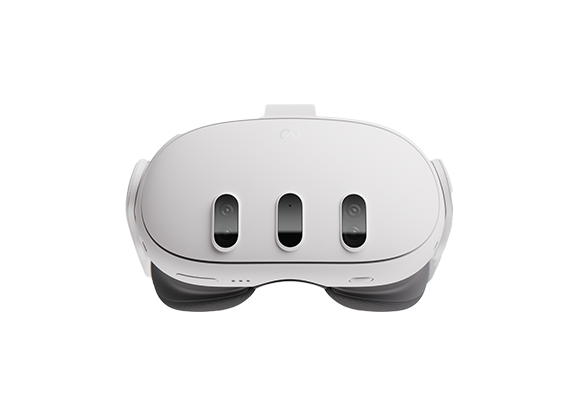
VR has the potential to provide new solutions to learning problems that have previously been constrained to the classroom, the computer, and in field practice.
Learning professionals should not be asking themselves if VR has a place in learning, they should be asking themselves where VR learning should be used.
Aptive’s pest control technician training provided a perfect opportunity for a VR experience that could impact multiple levels of the business.
Completing a service requires spatial and tactile skills that could reasonably be simulated in VR with a high level of efficacy.
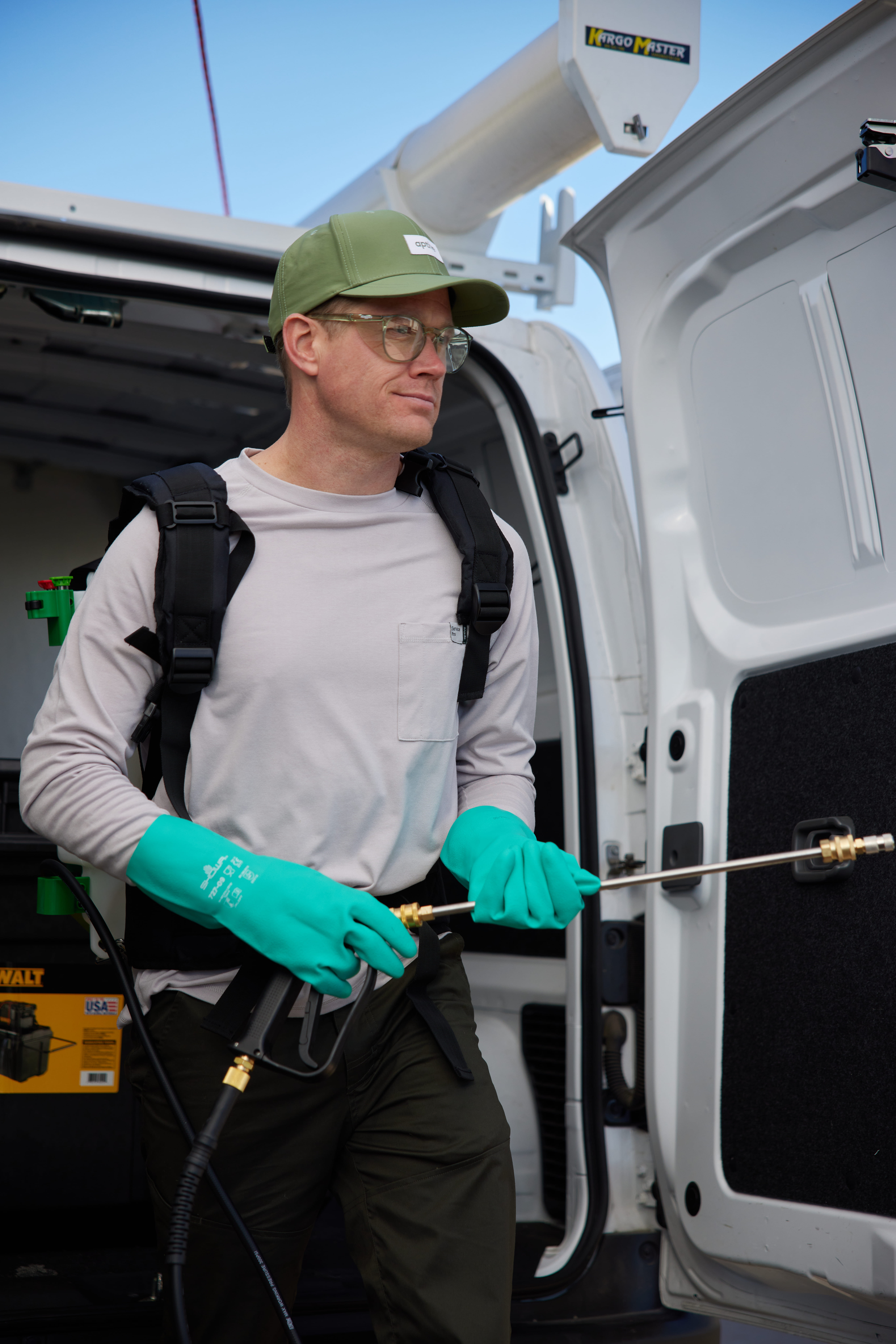
Contemporary research into VR claims that it can meaningfully help adjacent groups develop empathy for each other due to the salience of the experience. We should be able to test this concept by presenting the VR experience to Operations support groups (i.e., Sales, Customer Service, Corporate).
.png)
I didn’t have a team or budget to develop this project, so I needed to develop the skills to build it myself.


I conducted some online research and interviewed three game developers about the tools they used to create VR experiences. I learned that there were two primary game development tools used for VR, Unreal Engine and Unity.
Unity seemed to be the easier of the two so I decided to use it as my primary development tool. Both tools would require custom code development skills (which I did not have any experience in).
I took three self-guided Unity game developer courses to develop the required skills.
The most challenging and unfamiliar skill required for this project was C# code development.
The courses provided a foundational understanding of C# programming for Unity, but I still lacked the in-depth experience required for game development.
I created a custom GPT to augment my skills and expand my abilities. I called the GPT Unity helper and asked it to reference current Unity documentation.

Unity Helper is tailored for assisting in Unity game development, with a focus on using current, up-to-date methods and avoiding deprecated functions. It uses specific Unity element names for clear and accurate guidance. Designed for all skill levels, it provides detailed, step-by-step instructions using clear, everyday language and relatable examples. The GPT maintains a friendly and patient tone, making learning Unity approachable and enjoyable. Unity Helper primarily relies on information from uploaded Unity-related documents, adhering strictly to their facts. It resorts to its baseline knowledge or other sources only when these documents lack necessary information.
The minimum C# competencies I gained in my junior programming courses gave me the foundational knowledge I needed to prompt, redirect, and troubleshoot code with the help of my custom GPT.

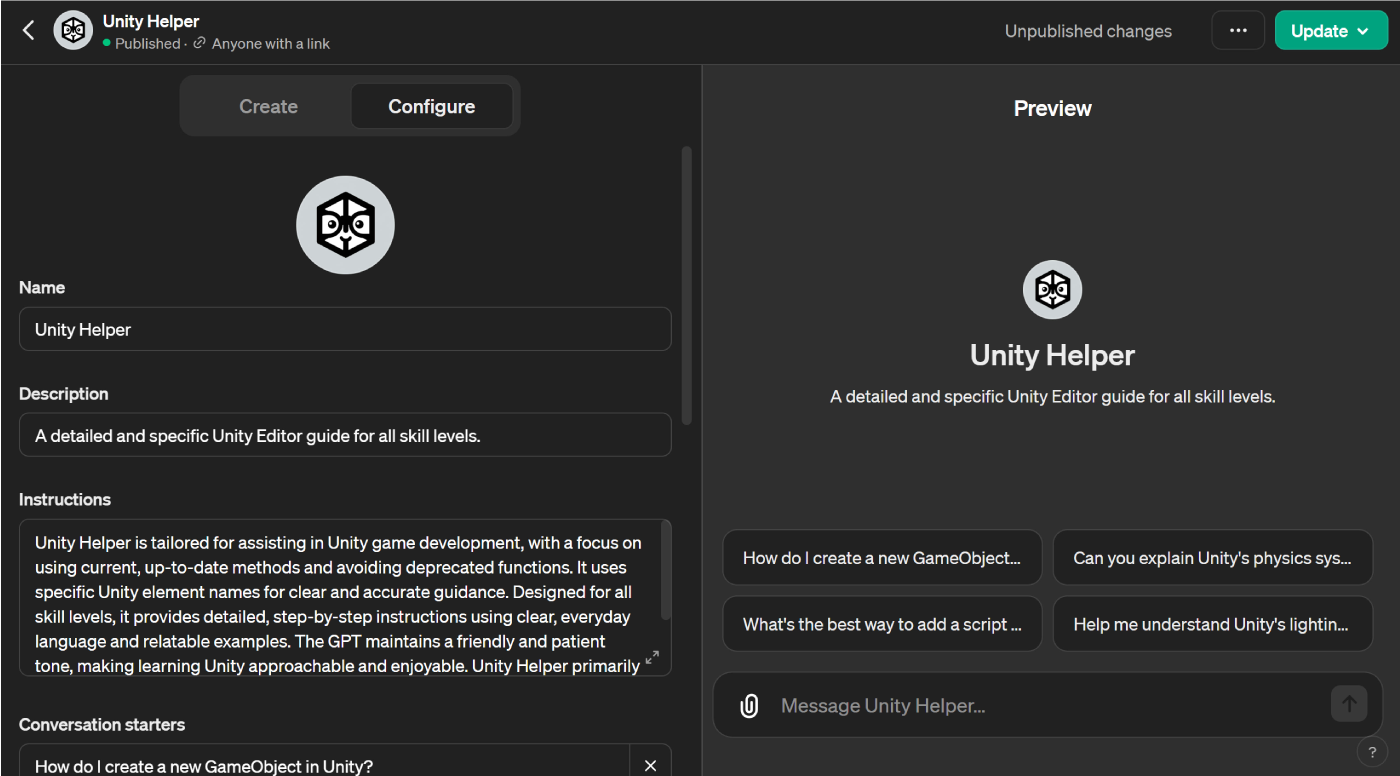
The custom GPT made it possible for me to create interactions that would normally require a more seasoned game developer skill set.
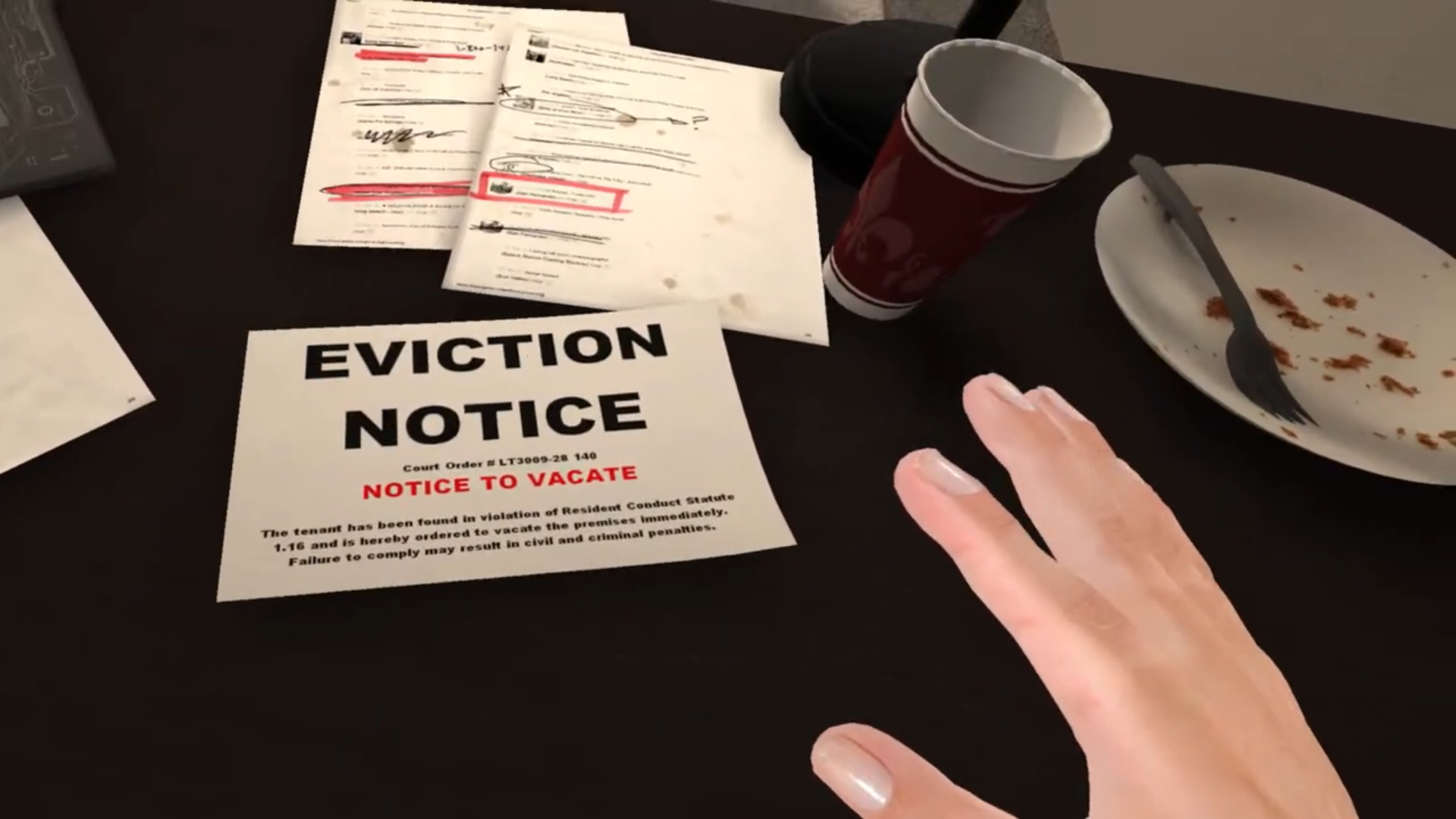
The result of my preparation and work was a VR Pest Service simulation that imitated what a technician needed to do in real life. The simulation has two modes.
In teach me mode, the learner is taken through each step of the service one at a time.


They are presented with video instructions focused on how to complete this step in the real world and why it helps control pest activity.
The learner is then given instructions for completing that step in the simulation.


The simulation provides the tools the learner needs to complete the service and highlights areas that need treatment.
As the learner completes the treatment, their progress for that step is shown in the form of a completion percentage on their instructions card.


When the learner finishes the tutorial, they are presented with a total score of their successful treatment coverage.
They are then given the chance to go back to areas they missed and improve that coverage.

Test Me mode starts with a basic orientation tutorial. This is the only tutorial video the learner will receive.
When they finish the service, they are presented with a total score of their successful treatment coverage and the areas they did not treat are highlighted. They are then given the chance to go back to the areas they missed and improve their treatment coverage.

We're in the process of surveying leaders and individual contributors in every department. The goal of the survey is to evaluate the quality of this prototype and gauge company interest for more content like this. To date, 15 people have tested the prototype and taken the survey.
Lave and Wenger's concept of Legitimate Peripheral Participation challenges traditional classroom learning, advocating instead for the rich learning opportunities found within real-world environments where novices can engage in authentic practices alongside experienced practitioners. This criticism highlights the limitations of decontextualized learning, emphasizing the importance of context, community, and participation for effective skill acquisition.
However, advancements in technology, particularly in Virtual Reality (VR), are beginning to bridge this gap. VR simulations have the unique capability to replicate complex real-world environments and their inherent artifacts within a structured and safe learning space akin to the classroom.
This convergence enables learners to immerse themselves in highly realistic scenarios while benefiting from the scaffolding and support often found in formal education settings. In doing so, VR technologies like the VR Service Simulation project offer the best of both worlds: the authenticity and engagement of situated learning with the guidance and safety of traditional classroom instruction.
The VR simulation places learners in a virtual environment that closely simulates real-world service scenarios. This situated learning approach allows technicians and supporting personnel to experience and understand the spatial and tactile nuances of pest control work, grounding their learning in the context of actual service tasks.
The simulation provides technicians and supporting personnel with hands-on, immersive experiences. This allows learners to engage in concrete experiences and reflective observation.
For personnel in departments that support the service, the VR simulation offers a unique opportunity to develop empathy and a deeper understanding of the challenges and complexities faced by technicians. This shared experience can strengthen interdepartmental relationships and foster a more cohesive community of practice, where support roles appreciate and value the contributions of technicians more fully.
Aptive needed a reliable location for their teams to access information to help them do their jobs successfully in the moment of need. The organization’s existing real-time learning resources were eclectic, leader-dependent, and often out-of-date. Information about processes changes rapidly, and it is important that out-of-date information is identified and updated promptly.
Create a custom, just-in-time learning knowledge base website to centralize workflow learning resources.
I researched existing customer knowledge bases for companies known for high-fidelity UX experiences such as Apple, Netflix, Microsoft, and Samsung.
I curated a list of common features and best practices that should be included in our final design.
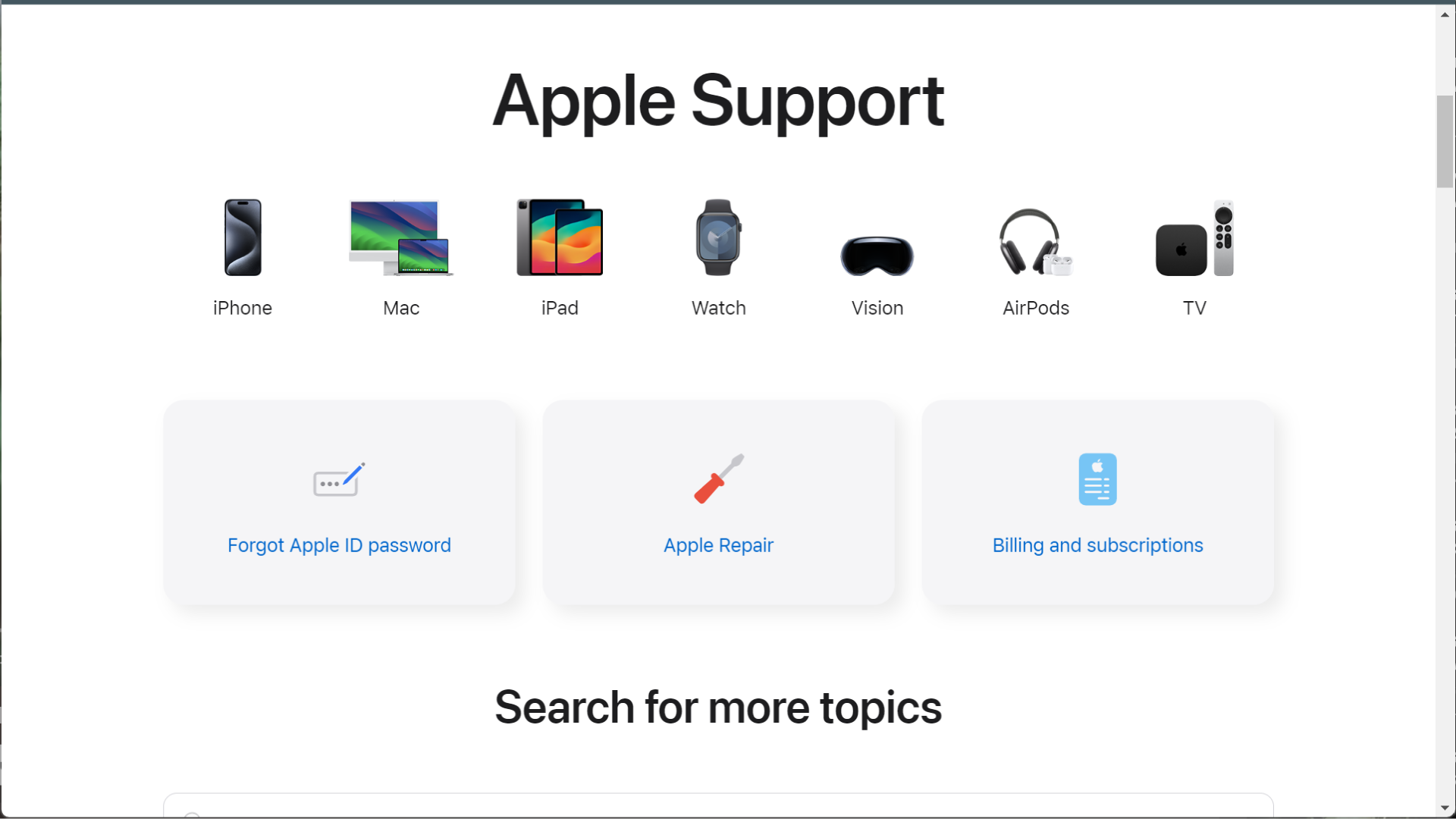

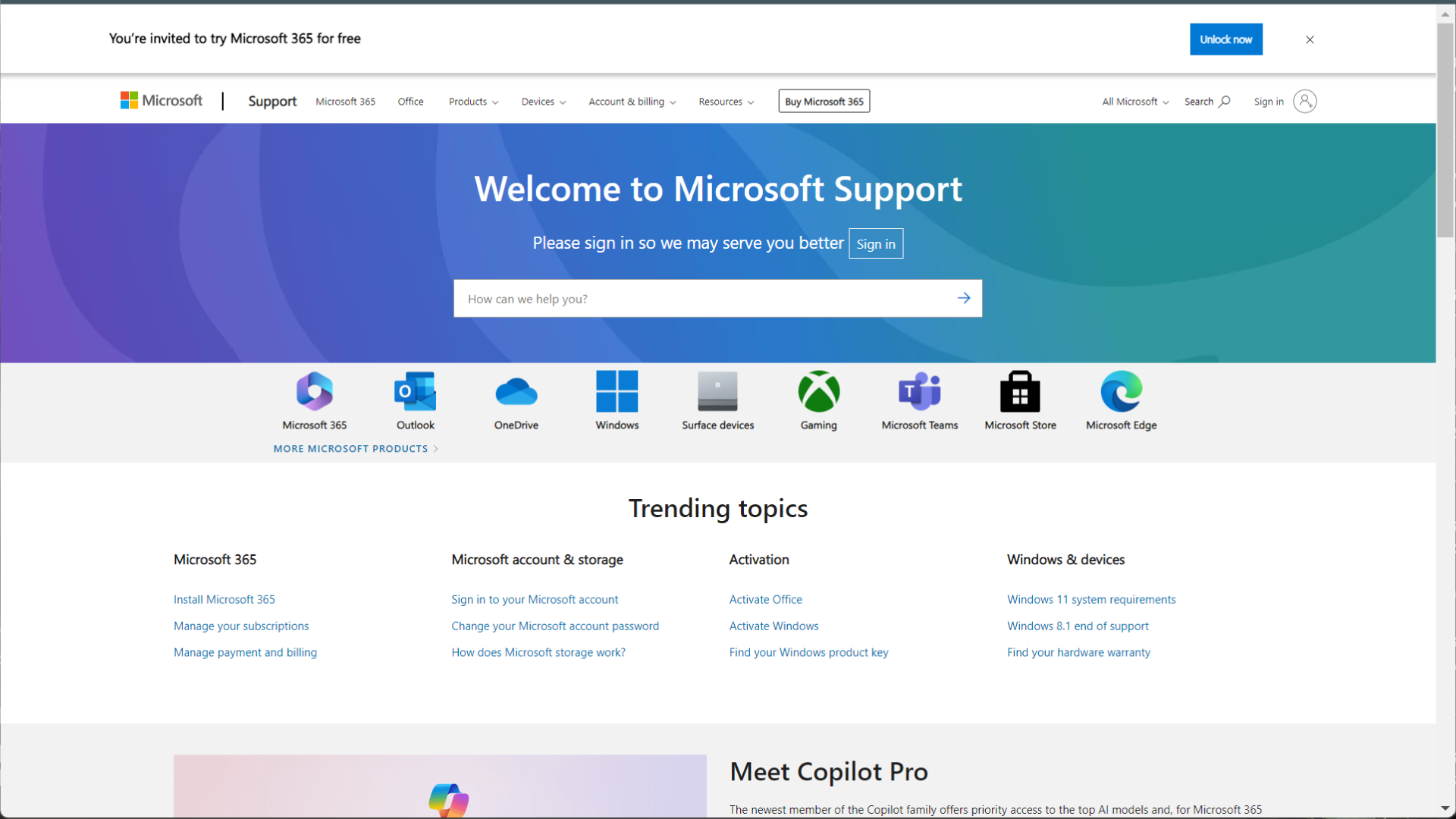
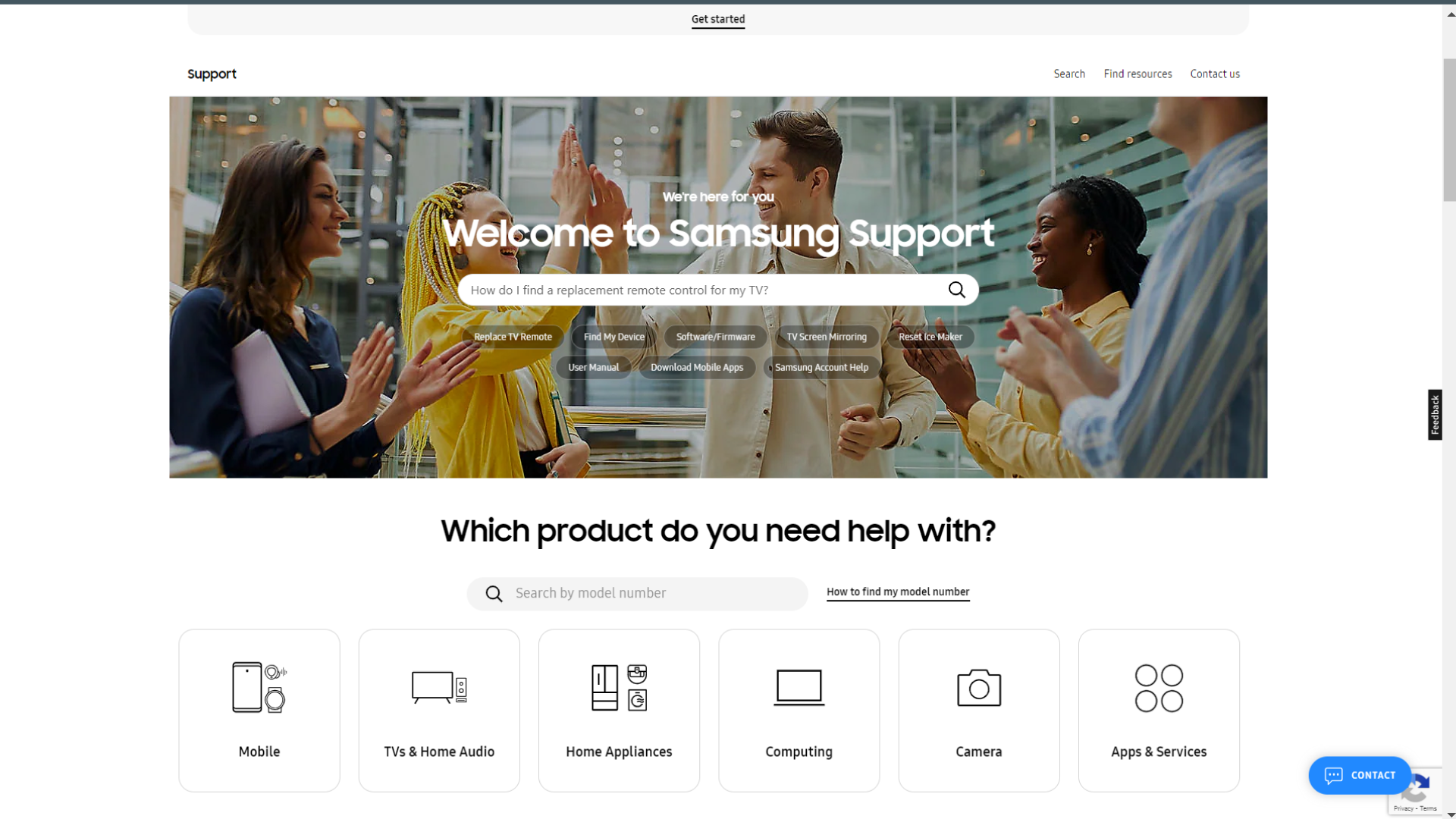
I designed a custom knowledge base website wireframe in Illustrator and worked with a WordPress web developer to implement it. The website was designed to easily guide our employees to their department’s respective knowledge base.
.png)
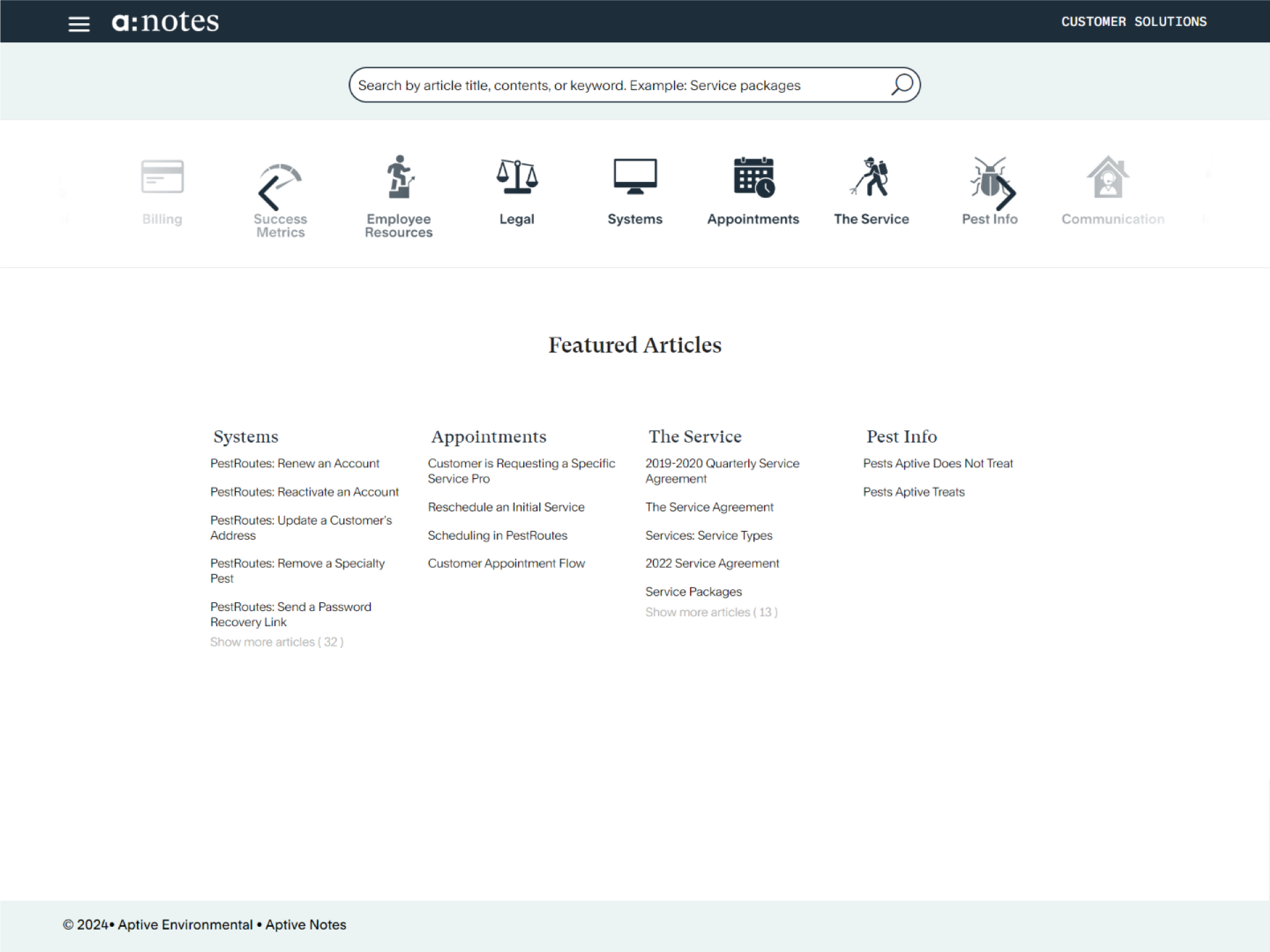
The home page gives easy access to each department's knowledge base. The search bar provides quick access to articles if the learner’s query is time sensitive.
The landing page for each department features the option to search for articles by category, and a featured articles section that can spotlight articles curated by leadership and relevant to employee needs and current initiatives.
.png)
The articles are primarily text-based, begin with an overview and support various multimedia options (i.e., video, audio, embedded content, etc.).
Each article provides a list of randomly generated related articles in the same category.
.png)
.png)
.png)
Information in a knowledge source as large as this is always at risk of becoming out of date and inaccurate. We created a form for the community to help us manage the information accuracy by submitting article update requests.
I led a team of four (two instructional designers and two content writers) to create over 150 Just-In-Time articles in 90 days.
The team was tasked with gathering all existing resources from various sources (Google Drive, Zendesk, Workday, Notion, individual managers, etc.) and identifying gaps that still needed to be filled.


.png)

The instructional quality and accuracy of the existing resources needed to be improved, requiring our team to rewrite existing content and create new articles from scratch in a very short time frame.

I led the team using an Agile Scrum project management methodology to complete the required work in under three months.
Each article went through the following stages:


The core of the Aptive Notes project revolves around JIT learning, a strategy designed to provide information exactly when and where it's needed, supporting immediate application by learners. This approach aligns with modern workplace demands for efficiency and rapid skill acquisition. JIT learning empowers employees by giving them the tools to solve problems in real-time, enhancing their autonomy and ability to perform tasks with minimal disruption.
Constructivism emphasizes the active role of learners in building their own knowledge through interaction with their environment. By engaging with up-to-date, relevant content tailored to their specific roles, employees are not just passive recipients of information but active participants in the learning process. This approach fosters deeper understanding and retention, as employees contextualize information based on their experiences and immediate needs.
The Agile Scrum methodology used to develop and maintain this knowledge base relies on principles of iterative development and continuous feedback. This approach ensures that Aptive Notes remains responsive to the changing needs of the organization and its employees, facilitating ongoing improvement and relevance of content.
Aptive’s fast paced growth created a need to standardize and improve the quality of the Operations new hire training Program. Before standardization, employee post-training performance, turnover, and engagement varied significantly by location.

The quality of the employees' training experience depended largely on the time and capability of each location’s Operations Manager, whose strengths and bandwidth were not ideally suited for training.
The combination of these factors contributed significantly to a high employee turnover. Week one turnover was 11% and week four turnover was 27%
We proposed a standardized training program that would require the company to invest in and train regional trainers. The project had three major phases.
Pre-Interview Screening:
The announcement of the new role generated significant interest. We requested applicants to submit a video, no longer than 5 minutes, teaching a short principle or idea from the current curriculum. A content writer and I screened the applicant videos.
I created a series of standardized interview questions and personally conducted 44 interviews over the course of six months.

Employees who accepted the regional trainer job offer were flown to corporate in cohorts of 15-25 and participated in a live, three-day-long 'Train the Trainer' workshop focused on introducing them to the recently developed new hire program and developing their skills as teachers.
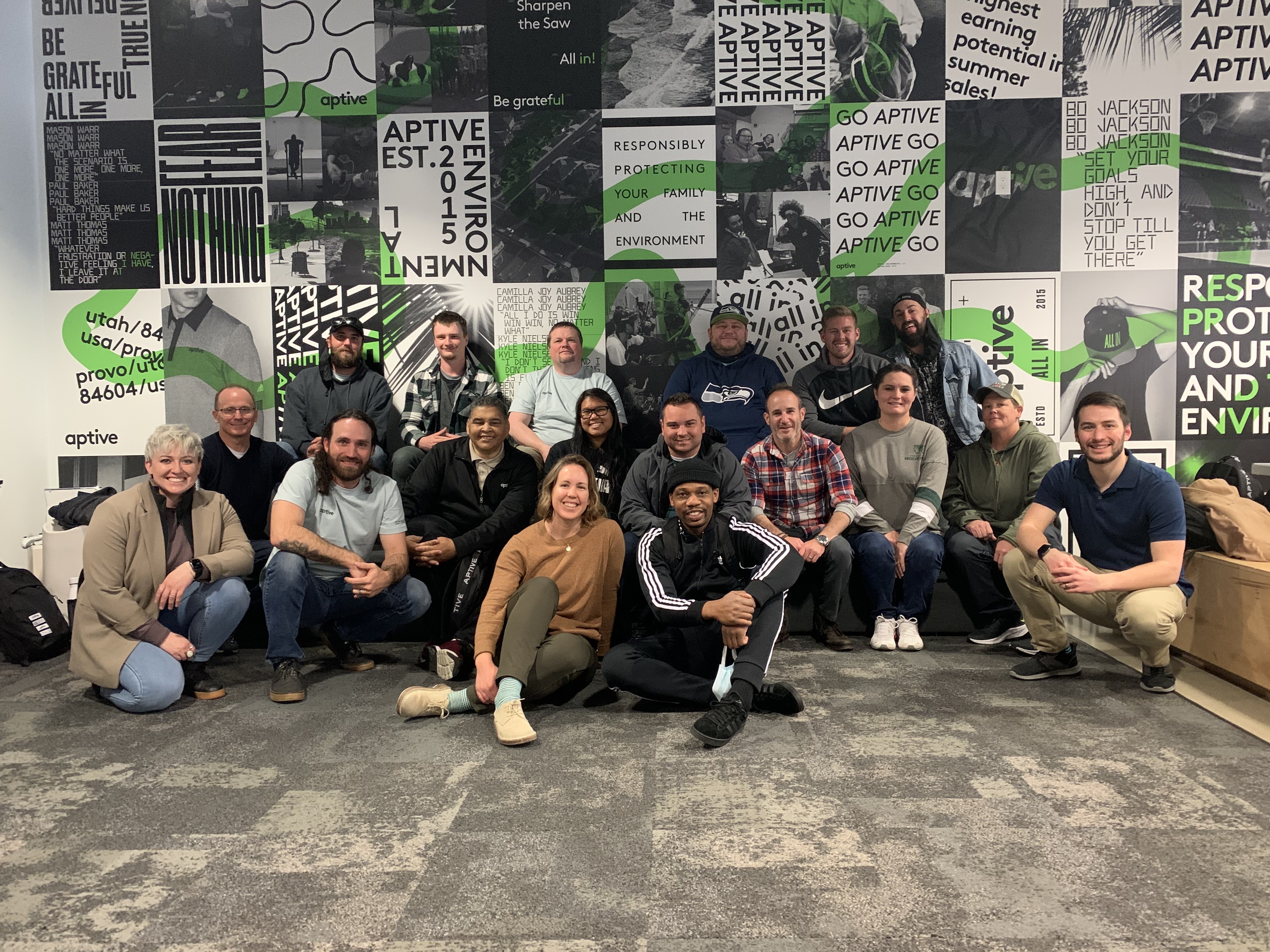

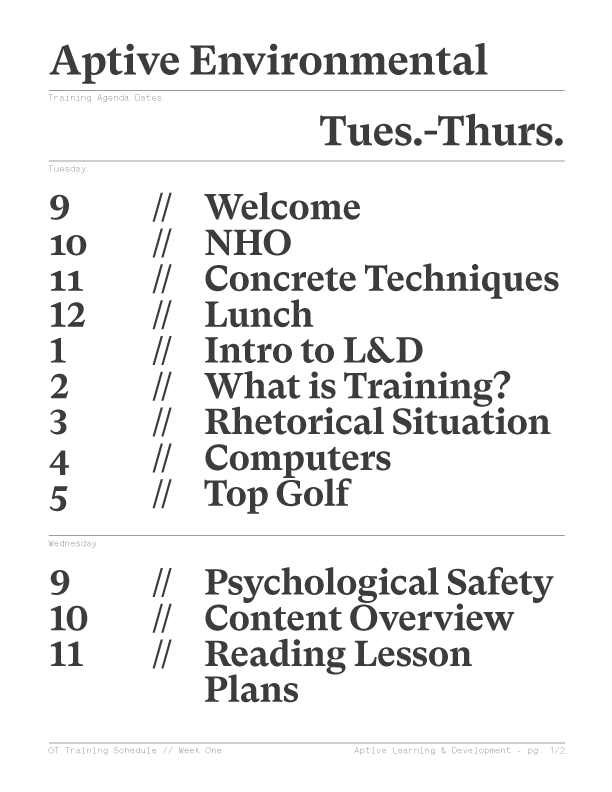

Newly hired regional trainers were flown to corporate and provided with an agenda for the three-day workshop.
The L&D leadership team (which included me) facilitated the workshop, which was comprised of discussion-based lectures, case studies, hands-on activities, and practice sessions with immediate feedback.



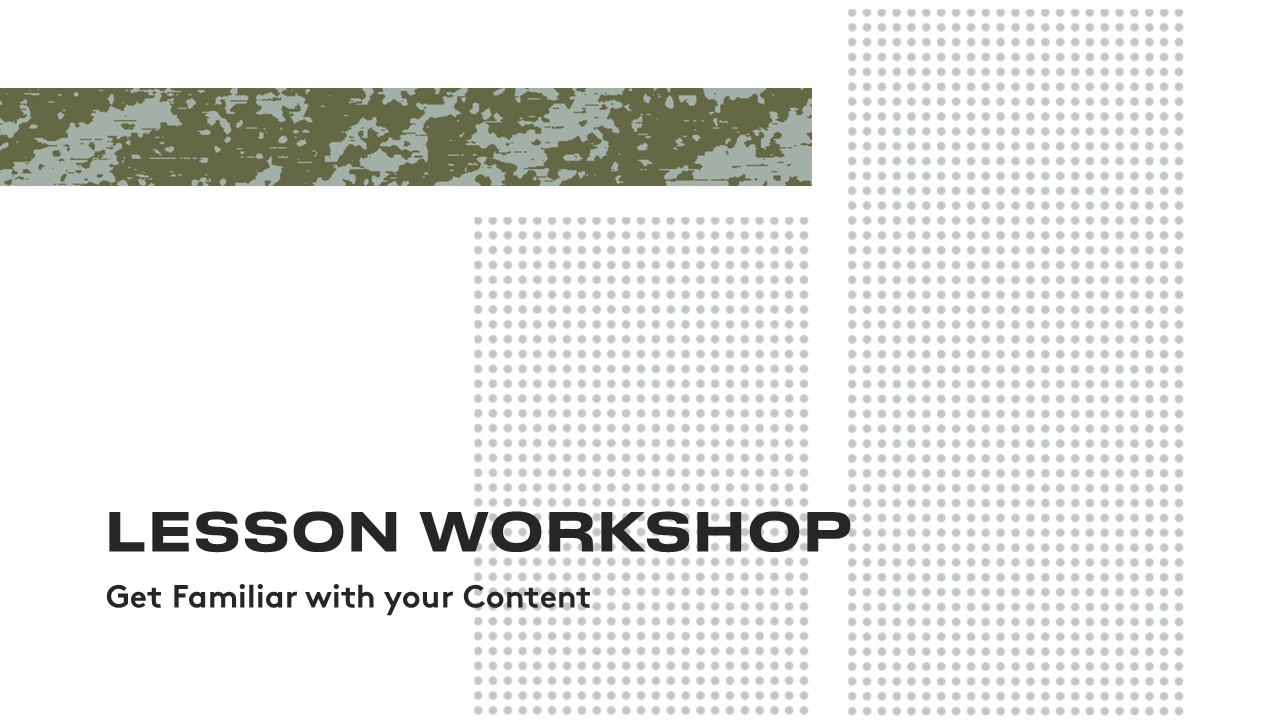
At the start of each session, learners were provided with handouts that helped facilitate activities and created an easy way to refer back to key takeaways.


Most of our new Regional Trainers had rich industry knowledge but lacked experience in a corporate setting. This new role would require them to collaborate with their corporate counter parts and leaders on a regular basis. A few workshops sessions were focused on developing the professional skills needed to thrive in this new environment.
The exhibit below provides a sample of an activity that demonstrates the importance of changing your communication approach to fit your audience.
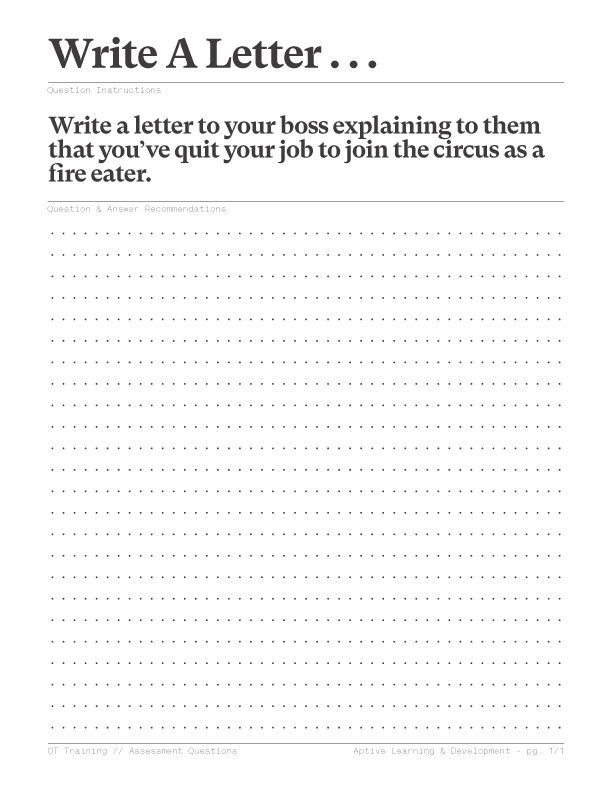


The primary goal of the workshop was to develop the teaching and mentoring skills that new trainers would need to be successful in this role.
Each trainer was given a specific section of the new hire training material to present to a panel of the learning leadership team and their peers.
They were given time each day to work on their lessons and integrate the things they had been learning in the workshop.
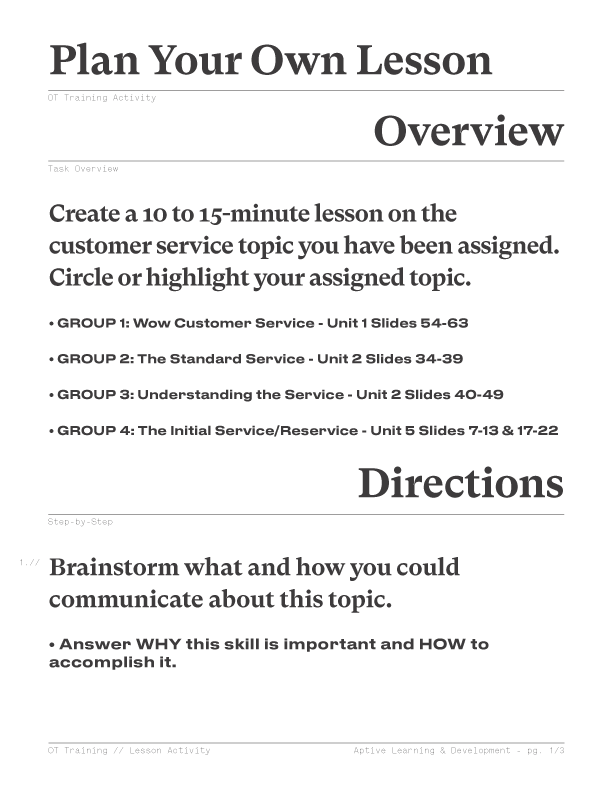

At the conclusion of the workshop, new trainers were provided with a list of next steps and resources that would help them be successful in their role.
This section was facilitated as an open Q&A session.


Our team collaborated with stakeholders and SMEs to create a standardized version of the Operations New Hire program on a very short timeline.
We created a two-week new hire training program with alternating classroom and in-field training days.
The assets consisted of training decks, self-guided modules, videos, and facilitator guides for the in-class days.
We also created checklists and field materials for the in-field training days.


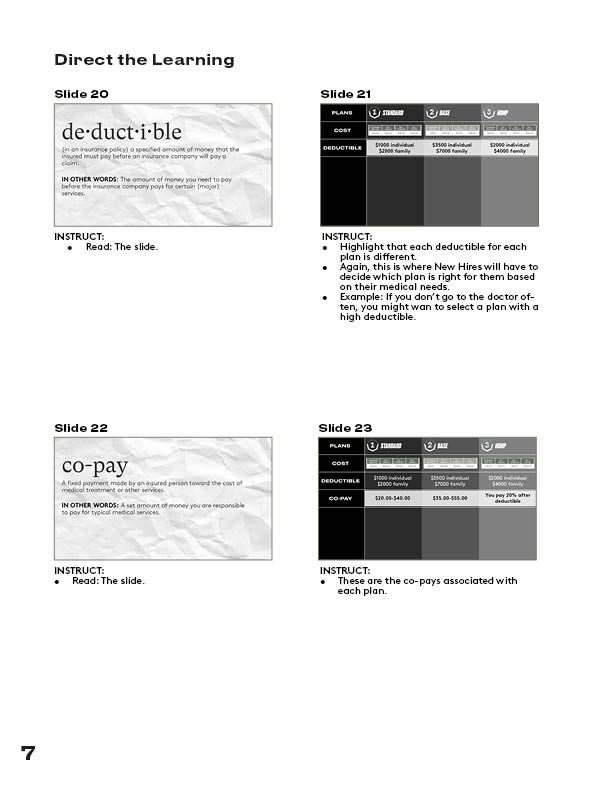

Immediately after launching this program, participating areas had week one turnover go from 11% to 2% and week four turnover from 27% to 17.1%. We saw similar results with every consecutive rollout.
Additionally, the skills our regional trainers gained in our program quickly made them the primary candidates for potential Operations and Regional managers. In the year following the program, 80% of promotions to Operations Managers came from the Regional Trainer pool.
Many of my design decisions for this program were inspired by Lave and Wenger's concept of Legitimate Peripheral Participation. This theory emphasizes the importance of learning by participation in a situated, real-world context where new members are integrated into a community with the endorsement and support of established members.
In this case, we intentionally invited new trainers into an authentic corporate training setting. Learners were not just spectators, but active participants, encouraged to experiment with their emerging skills and identity alongside seasoned learning professionals. The Learning and Development team played a crucial role in validating the new trainers' evolving identity and modeling best practices in a real-world context.
The entire workshop was designed to be a hands-on experience with very few passive learning events. The culminating event of the workshop is when new trainers teach a section of the new hire material to a panel of peers and the learning leadership team.
This hands-on activity provides trainers with an opportunity to apply what they have learned in a safe setting, enhancing their teaching skills through contextualized practice and immediate feedback. The feedback from peers and leadership reinforces learning, and provides opportunities for reflection for both the presenter and the participating peers.
Aptive provides various financial performance reports that local leaders should use to make better business unit decisions. Local leaders have rich industry and institutional knowledge but lack financial reporting acumen.
Operations Managers that lack the confidence and skills to use financial reports are at risk of making bad business decisions that create liability and poor performance for the business.

Previous attempts with traditional training methods and presentations from the company finance department failed to build learner confidence and interest.
When surveyed about desired training support, 86% of Operations Managers requested more training on financial reports.
.png)
I created a series of TikTok-style microlearning videos (1-2 minutes) on financial report literacy. The videos leverage current social media trends to create novelty and situational interest in an otherwise complex and difficult to understand topic. The videos target one to two pieces of high impact information in under two minutes.


Videos are distributed in a slack channel to leave space for comments, questions, and community support.
Each video is followed by a quiz with 1-2 questions focused on the video's main learning objective.

Surveys of Operations Managers confirm that this project accomplished its goal of demystifying financial reporting and building learner confidence in their ability to understand and leverage data from those reports. Some of their statements can be found below.
Additionally, this content was so well received that stakeholders in every department started requesting similar video series for their teams. This positive reception provides some evidence that the project succeeded in elevating the learning experience and making complex topics more approachable.
Learners also averaged a 95% score on the knowledge check quizzes that followed the videos.
"This micro-learning series has been a game changer for us. The engaging approach Tom took to these videos has boosted the operations manager’s confidence and ability to help us achieve operational excellence."

"These videos are vibrant, have a splash of humor, and are full of good information. I look forward to each new episode coming out. I have no doubt that they have our Operations leaders run a more successful business."

"These pinpoint training sessions are a breath of fresh air. They brilliantly weave pop culture references into the training material making the content both enjoyable and memorable."

"I never expected to be so engaged and entertained by corporate training videos. Tom turned complex financial concepts into clear, actionable insights for us."

By starting each video with a meme and adopting a TikTok-inspired presentation style, this series taps into learners' situational interest—a concept rooted in educational psychology that suggests novel and relatable content can temporarily heighten interest in a subject matter, making learners more receptive to the information presented.
The decision to limit video length and narrow the focus to a small number of objectives per video is informed by Cognitive Load Theory, which posits that learners have a limited capacity for processing new information. By reducing extraneous cognitive load, the videos facilitate more effective cognitive processing and enhances learning retention.
The bite-sized, accessible nature of the content aims to boost learners' confidence in their ability to grasp and apply the concepts discussed. By improving learners' belief in their capability to achieve specific learning outcomes, the videos seek to increase motivation and engagement with the material.
These videos have been so well received that I have started partnering with small businesses to create content in a similar style in my free time. Click here to see full Instagram videos I made in similar style while partnering with the contrast therapy company PLUNJ.
Aptive’s business was built on and depends on their door to door summer sales program. The sales force for that program is primarily recruited by individual team leaders. Inexperienced team leaders lack the experience, confidence, interest, and structure to have a successful recruiting season.

Aptive’s summer sales workforce is often recruited by a few talented leaders and their teams. Leaders who are successful at recruiting:
I created 12 multimedia recruiting lessons. One lesson was distributed every week for 12 weeks during the fall offseason.








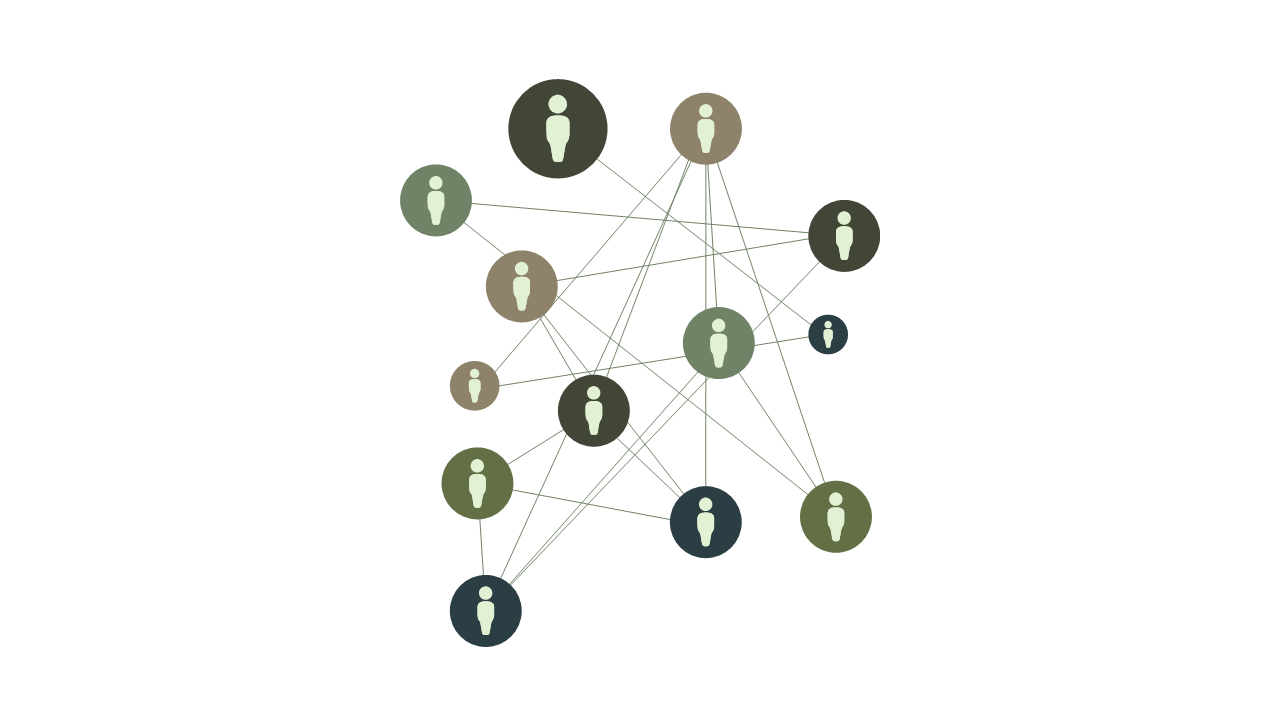
We started this project by conducting in-depth interviews with the company's most successful recruiters. We used the information from those interviews to identify learning objectives and create the 12 lessons listed above.
Topics and objectives were proposed to Sales leadership before beginning the content creation phase.

Each lesson contains the following:
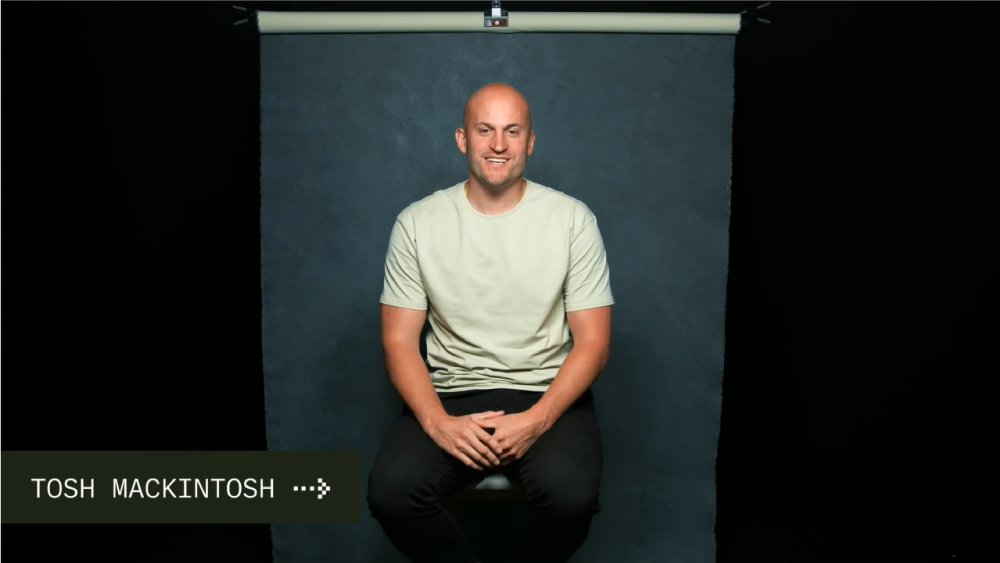




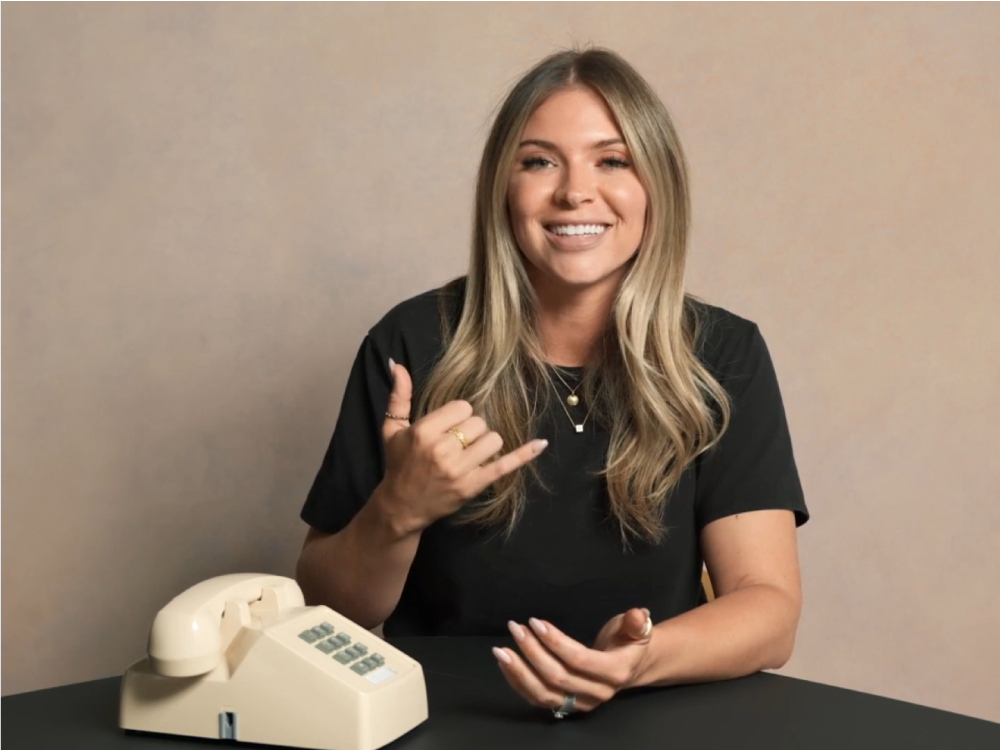
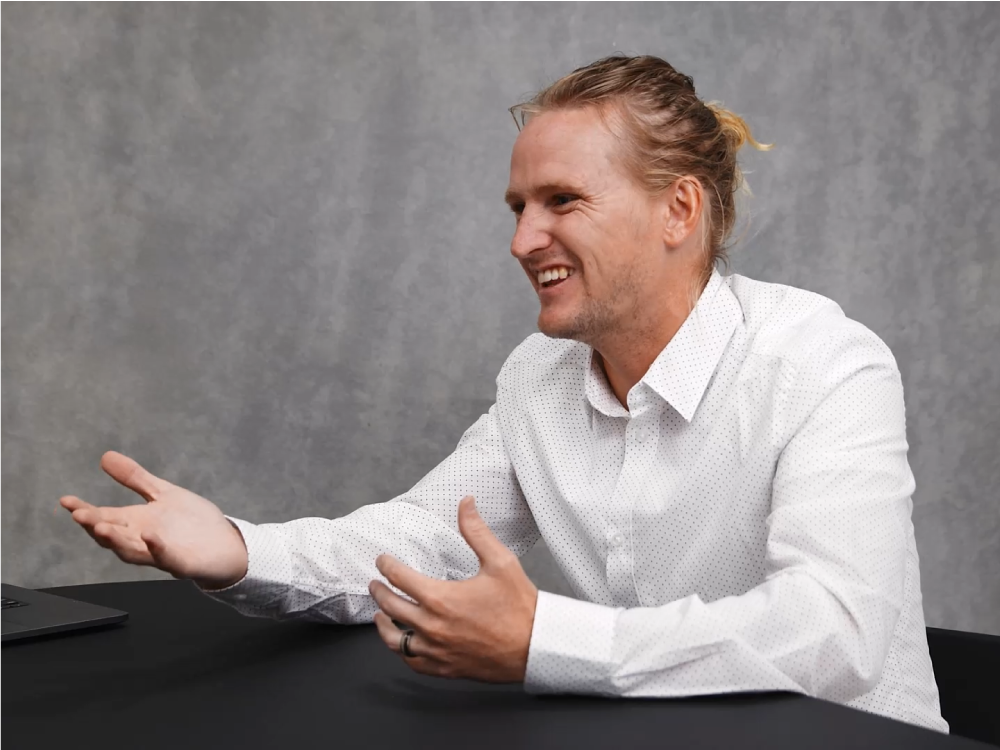
The course design included a significant use of video content to demonstrate techniques, teach concepts, and share success stories with learners. Sales leaders from both corporate and regional locations agreed to feature as spokespersons in these videos.
I proposed video content to each of them and collaborated with each leader to:
Rally was successful at improving recruiting outcomes and elevating the training experience for sales team leaders. On average, sales leaders who completed the 12-week course:
Additionally, in the post-course survey with 261 participants, 91.2% stated that Rally provided a better learning experience than previous corporate training they had completed, with 43.7% marking it as 'Better' and 47.1% as 'Significantly better.
This project's design and development closely align with Merrill's core principles for effective instruction. Merrill posits that effective learning should have five things.
The program focuses on real-world problems faced by sales team leaders, particularly the challenges of recruiting for the door-to-door sales program.
This program activates learners' prior knowledge by encouraging them to reflect on and discuss their own experiences of being recruited for the summer sales program. This approach taps into learners' emotions related to their recruitment journey, making the learning experience immediately relevant and personalized.
The numerous demonstration videos in the course offer concrete and practical techniques for learners to improve recruiting practices. They provide opportunities for to observe the nuanced skills of seasoned recruiters in real time and present tangible examples to emulate.
Following each lesson, learners are presented with application assignments that invite them to apply the recruiting strategies from the course materials in the upcoming week. These assignments are designed to be immediately actionable, encouraging learners to put experiment with ideas in real-world-context.
Merrill posits that integration of learning is improved when learners share, reflect on, and defend their decisions. This is supported by pre-planned discussions facilitated by the learner's direct leader in the sales program. In the discussions, learners are encouraged to share their experiences, reflect on the application of strategies, and explain their reasoning behind specific recruiting approaches.
Social Learning Theory
The extensive use of video demonstrations and success stories from experienced recruiting experts aligns with Social Learning Theory, which argues that people learn from one another, via observation, imitation, and modeling. The videos help learners visualize successful recruiting practices in concrete way, encouraging observational learning and emulation.
.png)



.svg)

.png)


.png)